
Export produces a file from the script as it stands on the current draft line — or from any save point you pick.
Open the Import / Export menu
Choose Import / Export in the toolbar. The formats are listed under Export; typing "export" into the command palette reaches the same list.
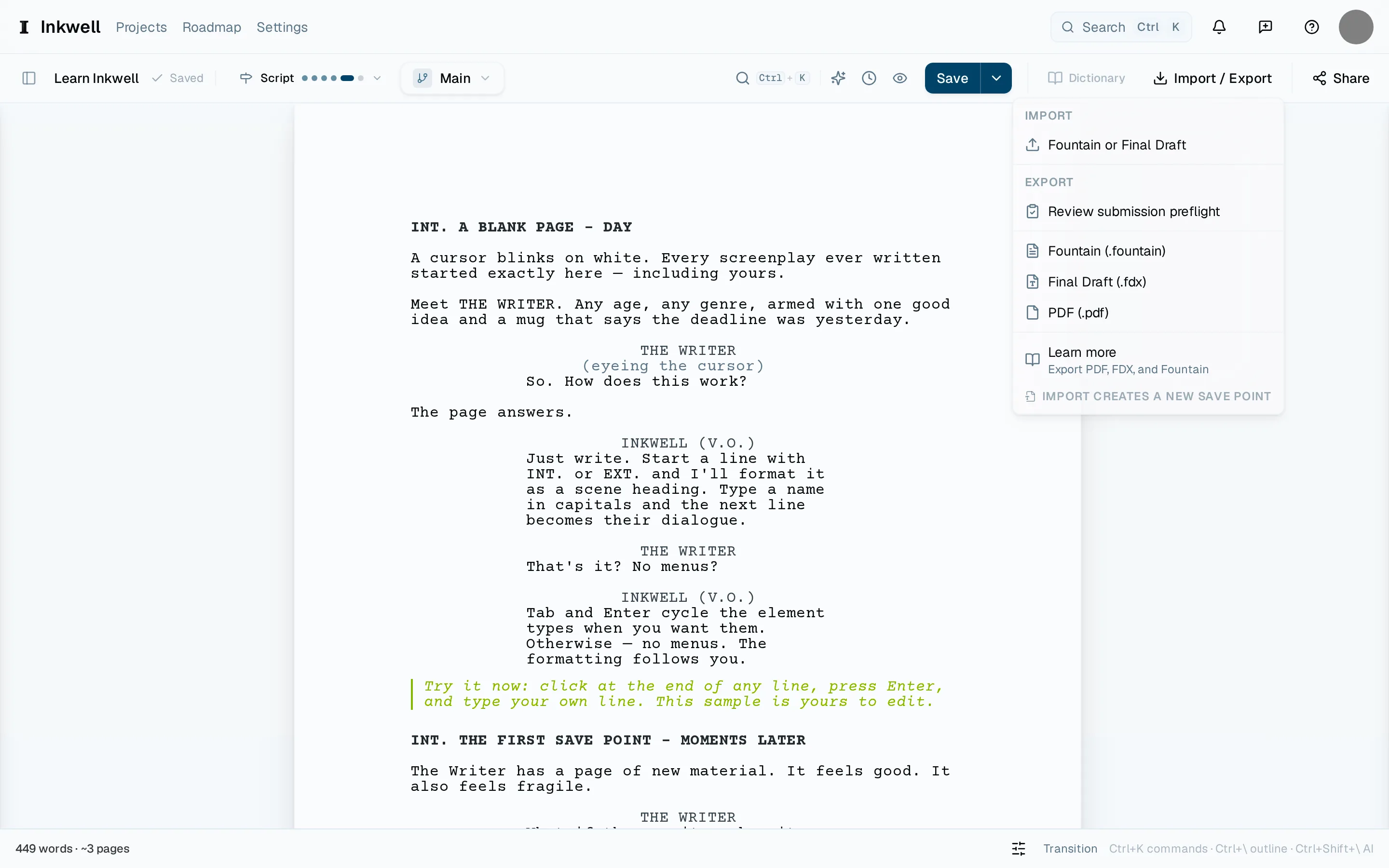
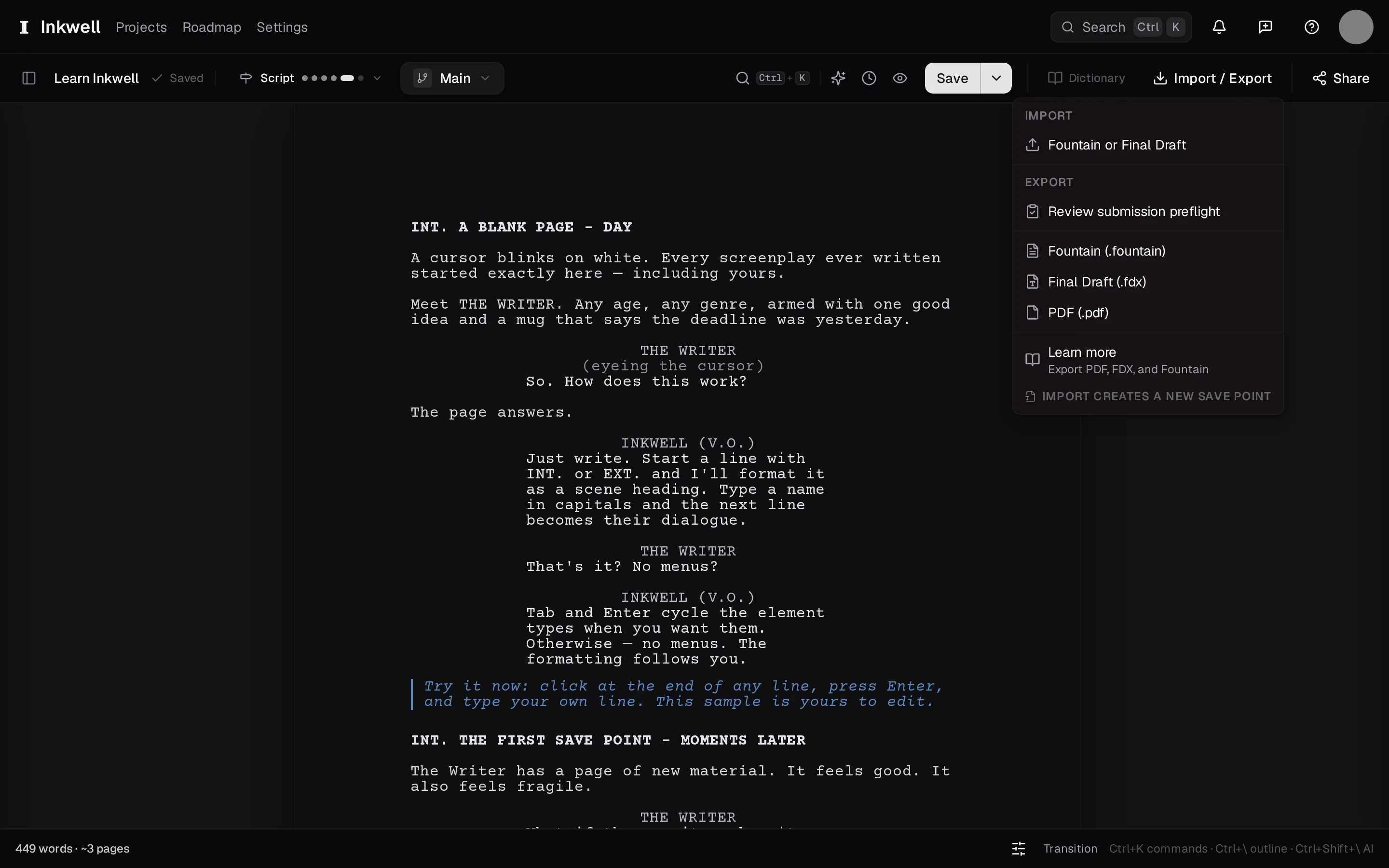
The toolbar's Import / Export menu: Import is at the top (1), with PDF (2) and Final Draft (3) under Export. Choose the format
PDF for anyone who reads scripts. Final Draft when a production office asks for an
.fdx— scene numbers and revision marks carry across. Fountain for a plain-text copy that any screenwriting tool can open. Choosing a format starts the export straight away.Upgrade to Writer for Final Draft export.
Choose PDF (2) for readers, Final Draft (3) for the office, or Fountain below them for a plain-text copy. Import is a separate action (1). Export the version you mean
The toolbar exports the draft line you are on, as it stands. To send a saved version — last week's table-read draft, say — open History, find its save point or milestone, and use that row's Export menu to choose the format. Exporting a saved version leaves your current draft where it is.
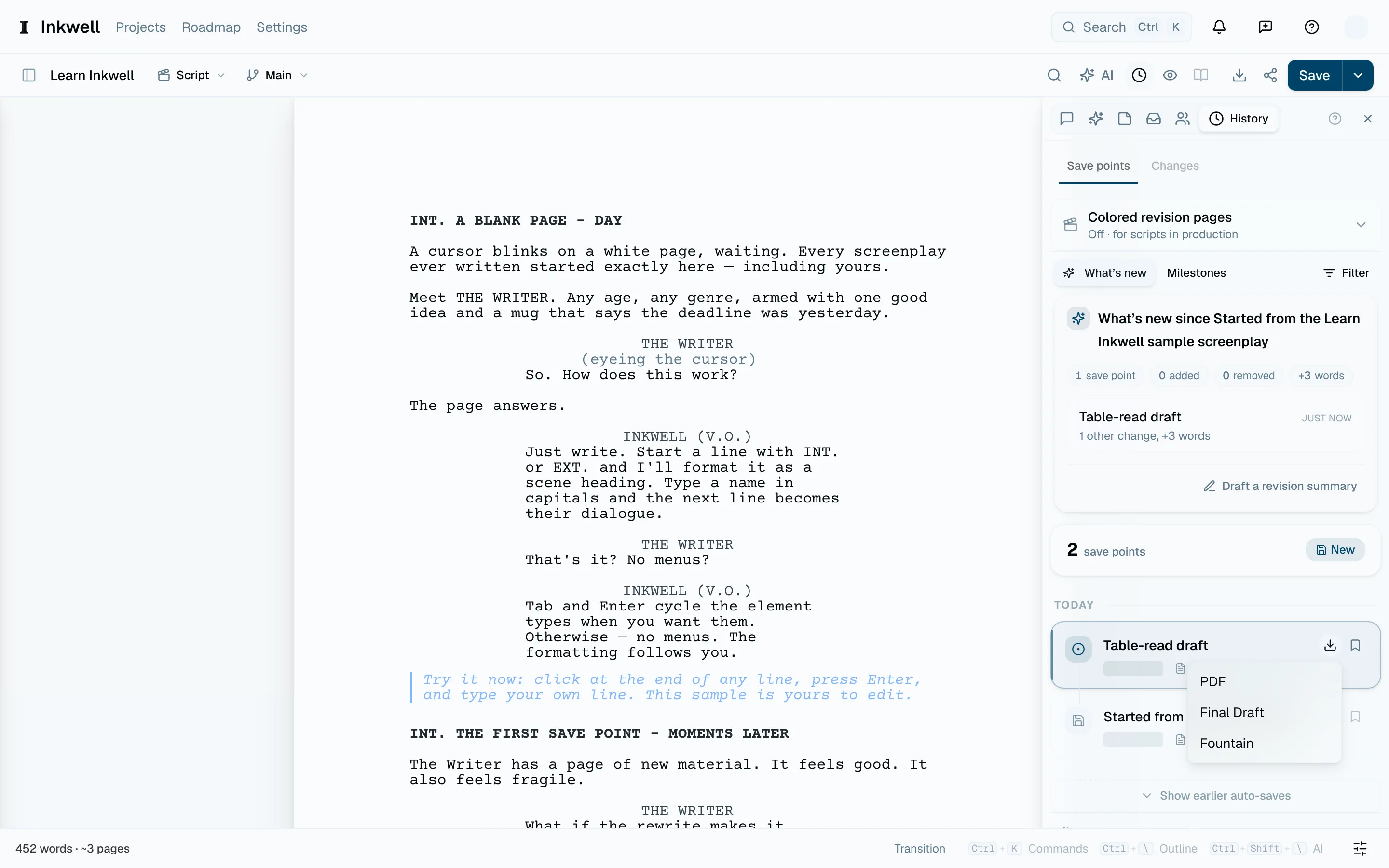
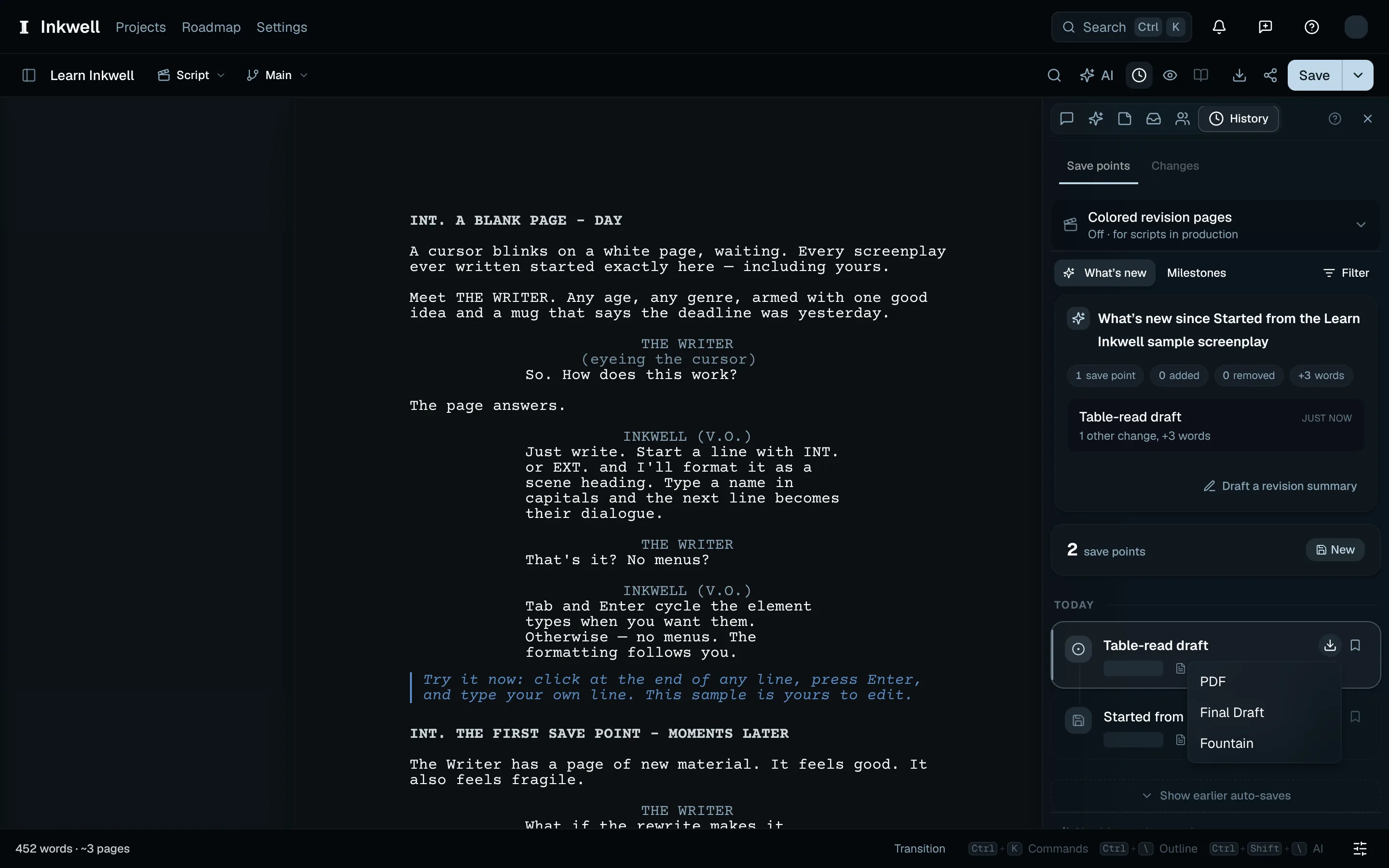
The named save point in History (1) has its own Export menu, so you can download that version without changing your current draft. Know what the file carries
A PDF opens with the title page — title, author, contact, and draft date from the project's title page. A production PDF preserves issued page numbers, including A-pages, and lists the distributed revisions on the title page. A pass with changes prints the color and date on every script page, with asterisks beside revised lines. For the packet that displays the revised pages, see Turn on revision mode. A speech that runs onto the next page ends with (MORE), and resumes with the speaker's name and (CONT'D). Final Draft carries the text, its structure, scene numbers, and revision marks. Fountain carries the text and its structure.
When the same character speaks again after action, the PDF adds
(CONT'D)to the cue. Fountain and Final Draft exports include it too, and importing that file keeps it as part of the cue. To leave these out, turn off Automatic character continueds in Document settings; the choice is saved for the project. Page-break(MORE)and(CONT'D)are added either way.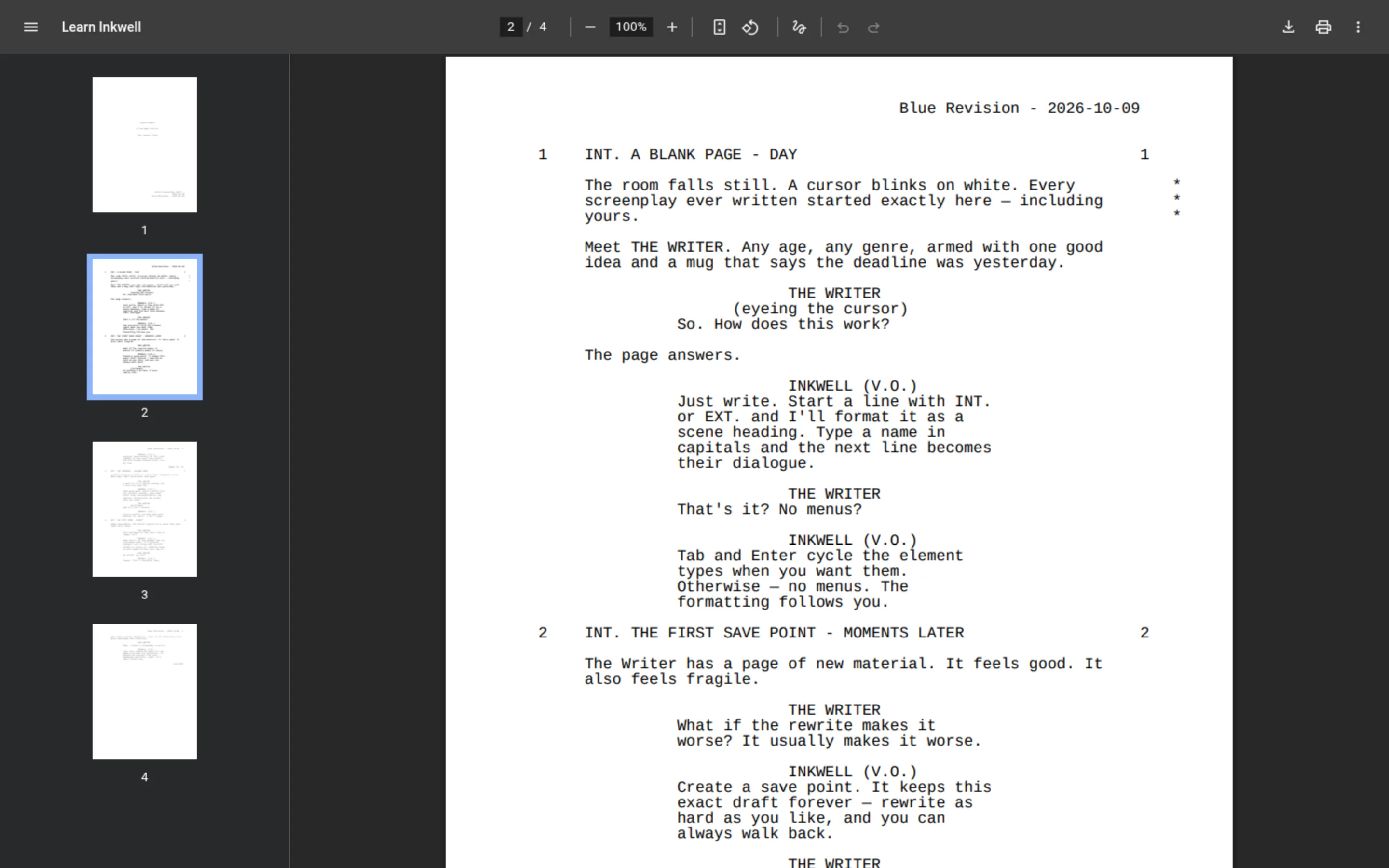
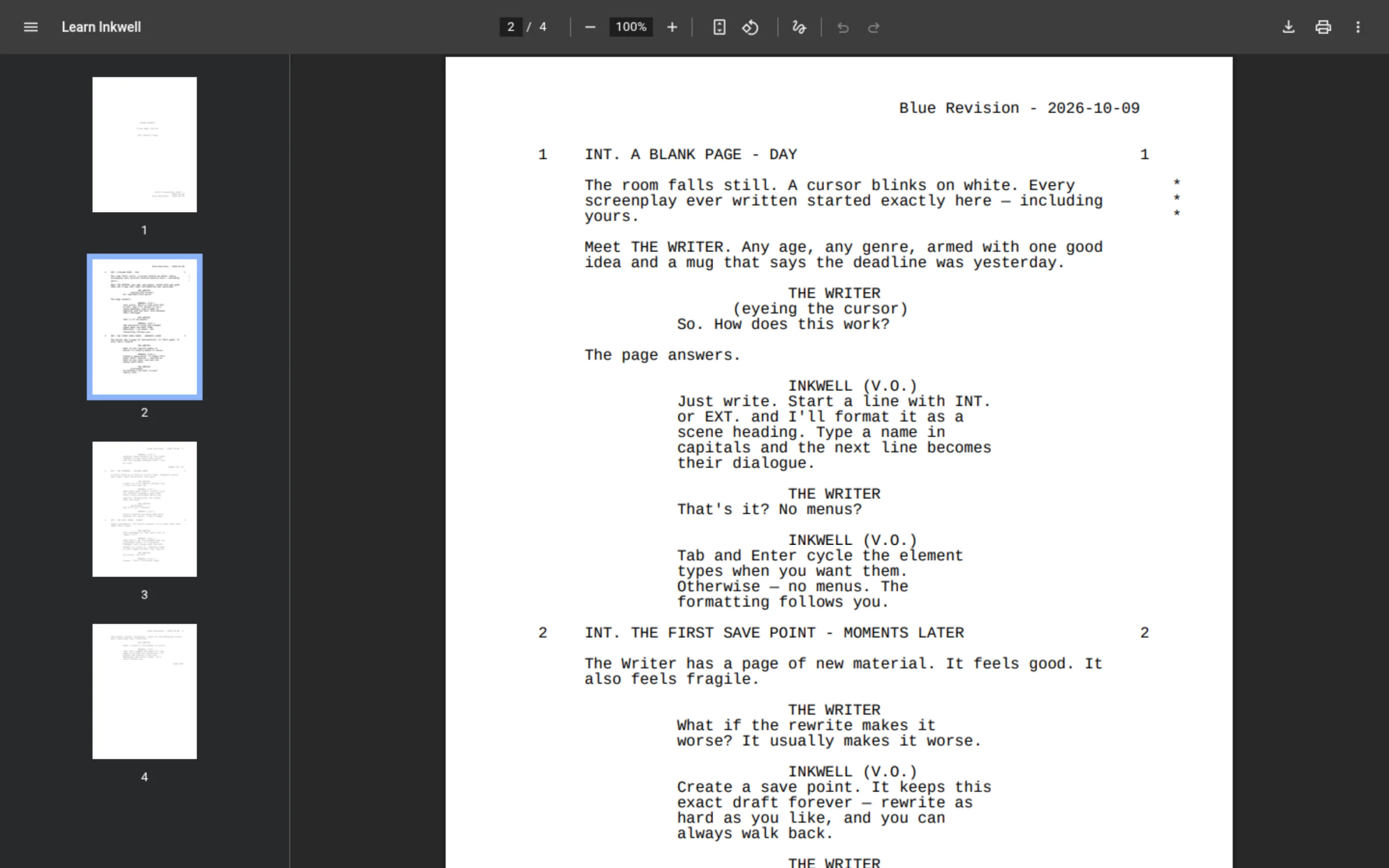
A script page from the real production PDF shows its Blue revision header and asterisks beside revised lines. Download
The file downloads with the script's title in its name. A PDF shows its progress while it renders, and you can cancel it from there.
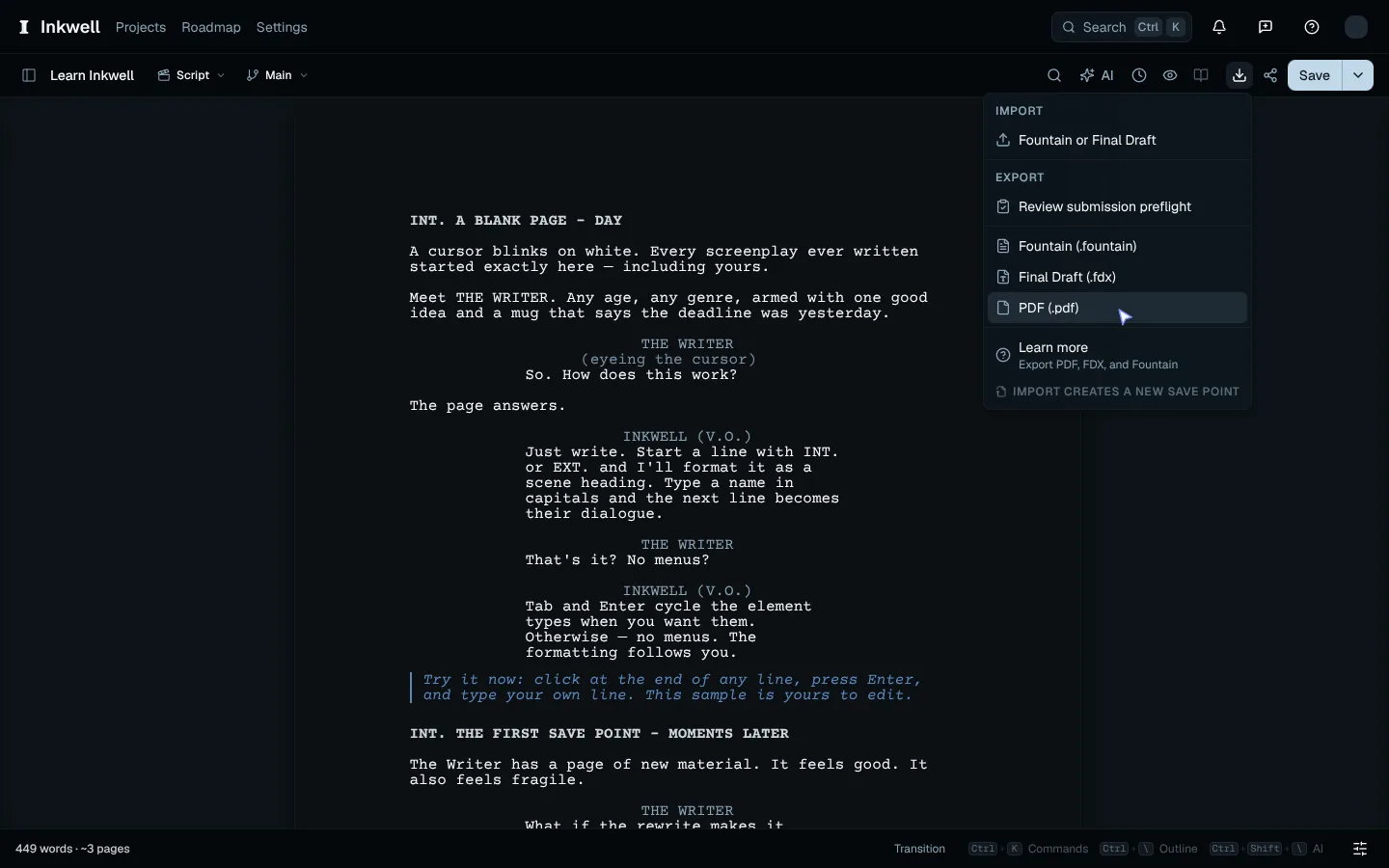
Choose PDF in the export menu and watch the toolbar render the file before the download finishes.