
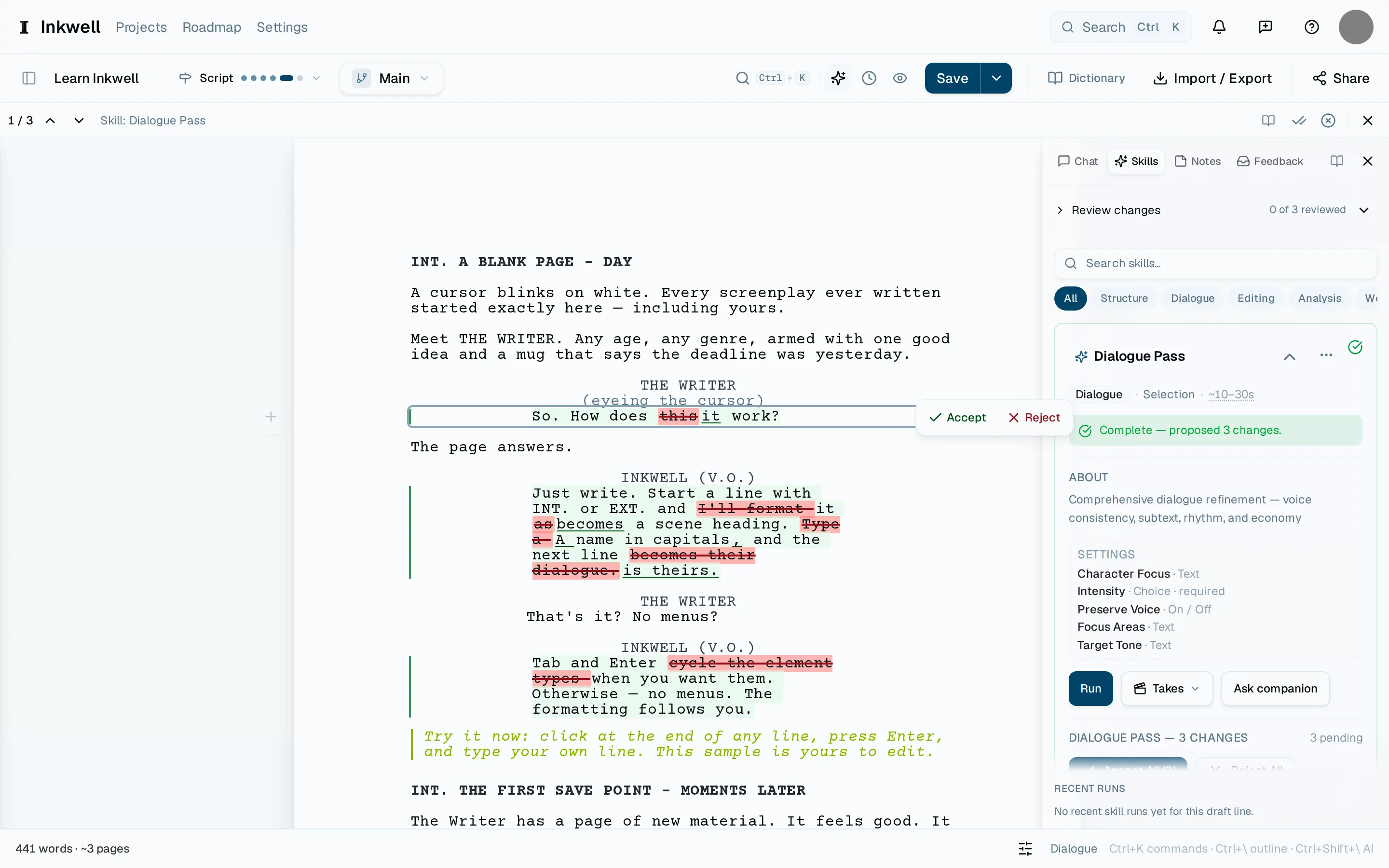
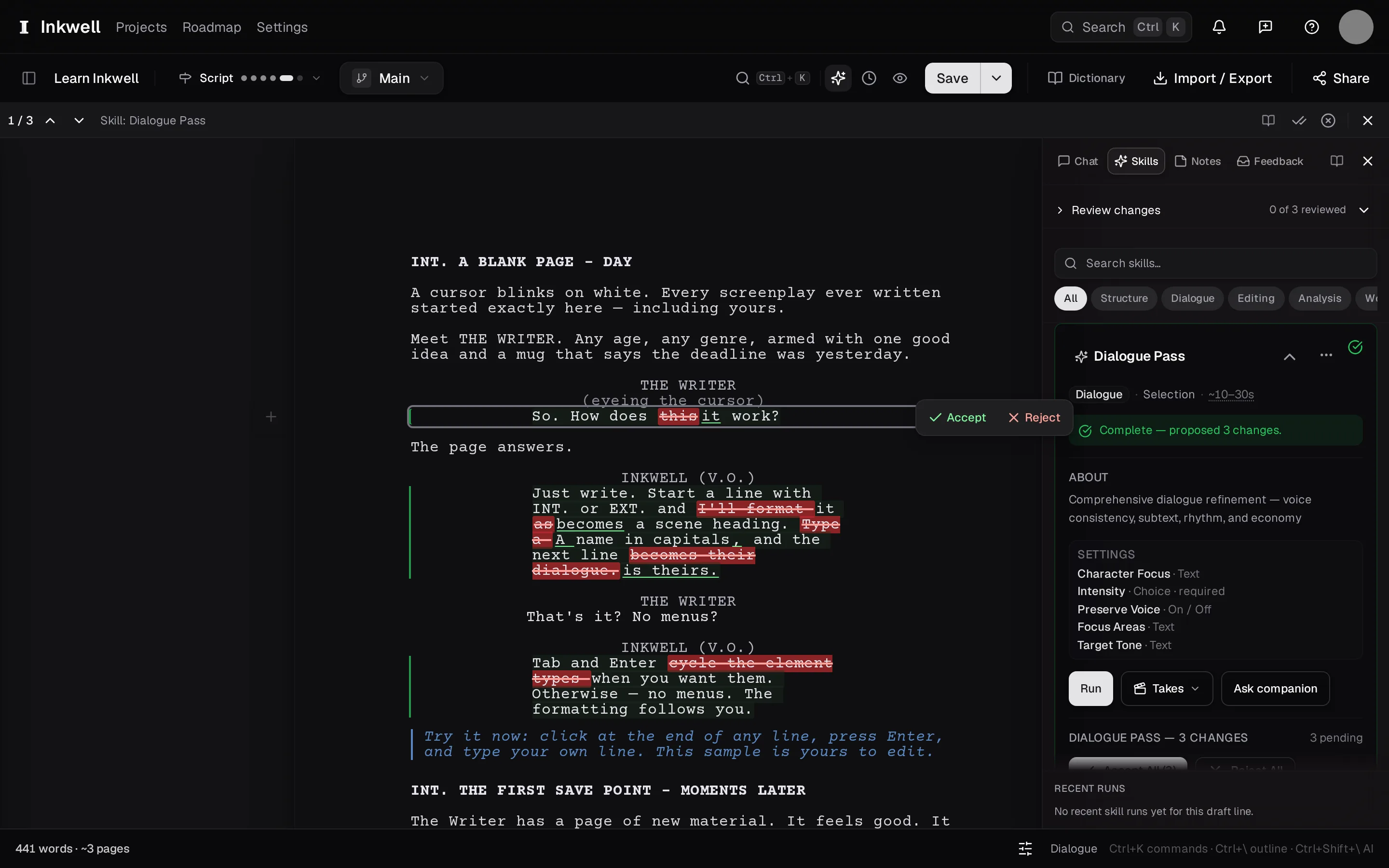
When a skill finishes, its proposals sit in the page as markup: removed text struck through, added text underlined, each change with its own accept and reject. The draft underneath is untouched until you say so.
Jump to the first change
Press ⌃⇧N to move to the next proposed change, or ⌃⇧P to go back. The page scrolls to it and highlights it.
Read the proposal in context
The old line and the new line are both on the page, so you read the change the way a reader would meet it. Hover the change for the skill's one-line reason when it gave one.
Accept or reject
Choose Accept to take the new text or Reject to keep yours. Accepting is not final: it is ordinary text again, and you can edit it.
Decide the rest in one go if you want
The bar at the top of the review offers Accept all and Reject all for the remaining changes once you have seen enough to trust the pass — or to dismiss it.
Make a save point
Press ⌘⇧S and name it for the pass ("after dialogue pass, act one"). The History tab now shows exactly what the pass changed, and you can compare it with the version before.
Accept and reject on each change, with Accept all and Reject all for the remainder.