
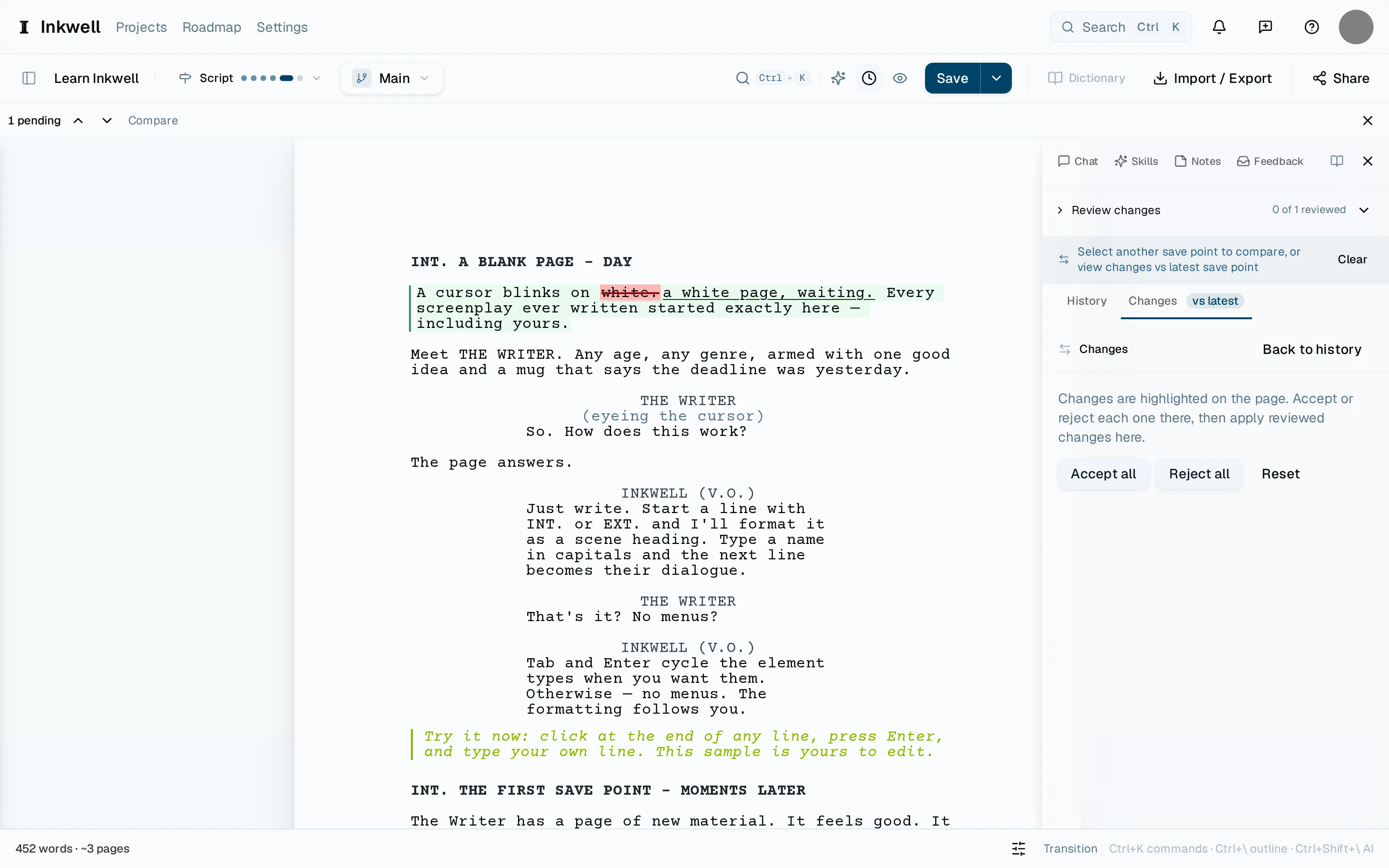
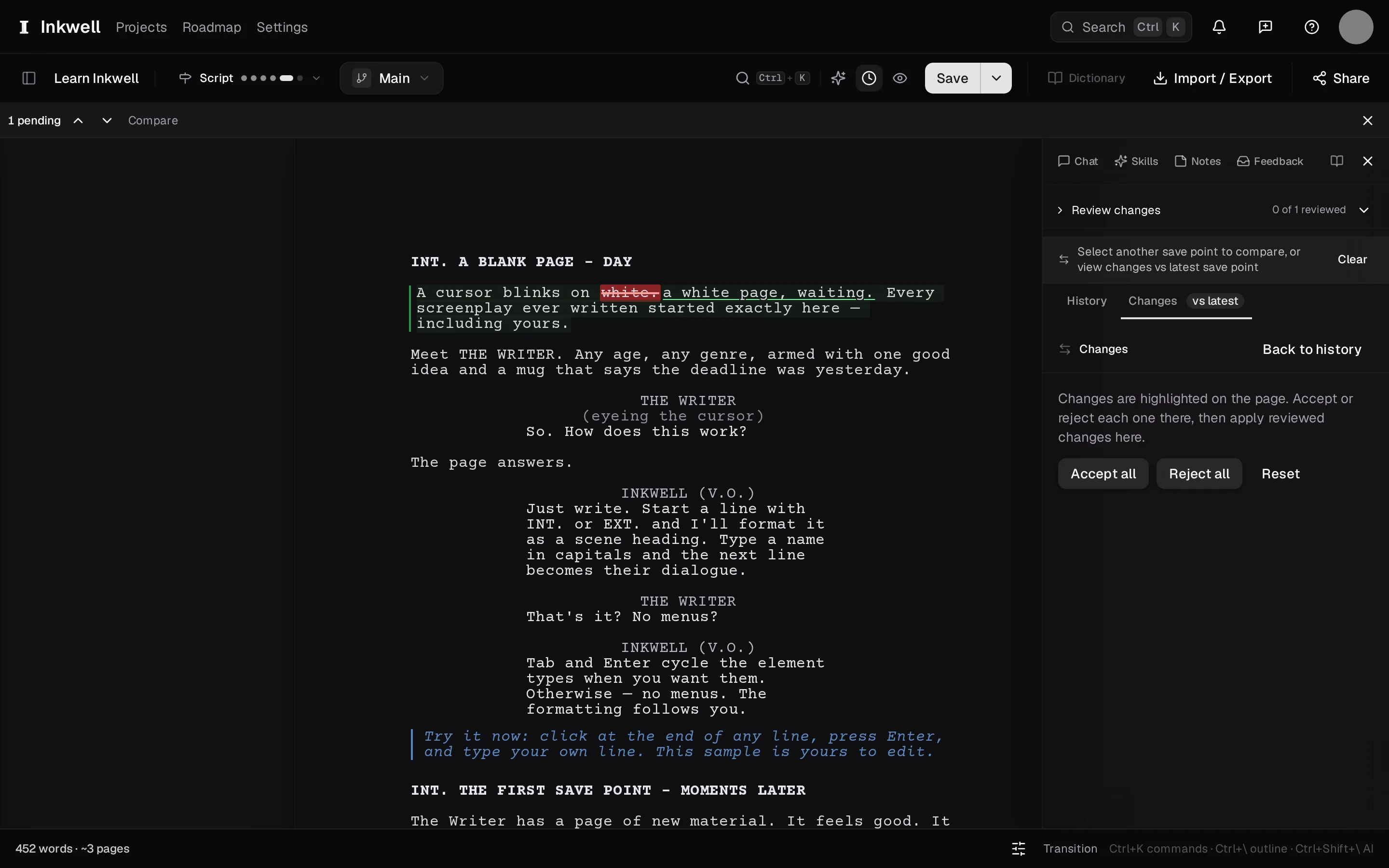
When you compare two versions — two save points, a draft line against Main, or a skill's proposal against your draft — Plot shows the changes as markup on the page: removed text struck through, added text underlined, a moved scene shown as moved rather than as a deletion and an insertion.
Why it reads by scene, not by lineLink to this section
A screenplay is scenes, and a change is "the argument moved to the kitchen", not "line 214 changed". Because the document is structured, Plot compares scene against scene and element against element, so a reordered act shows as a reorder, and a rewritten speech shows as one change with the old and new text together.
Where you see markupLink to this section
- Compare in the History tab, between any two save points or draft lines.
- A finished skill, whose proposals are markup you accept or reject.
- Incorporate, whose preview is the markup of everything that would land.
- A take, compared side by side with its original.
Reading itLink to this section
⌃⇧N and ⌃⇧P step through changes in order. The outline marks which scenes carry any. In a comparison you are only reading; in a review you are deciding — the buttons appear when there is something to accept.