
Meet Plot: Screenplay Editor Tour
Write a scene, explore a rewrite on a draft line, ask about your screenplay, review an Agent Mode edit, and keep a save point.
Jump to a chapter
Follow a scene from first draft to revision
The tour follows The Night Ferry, a short sample screenplay. Start with a scene on the page, then try a rewrite on a draft line so the main draft stays available while you explore the alternative.
A draft line gives the whole script a parallel version. Use it for a direction you want to develop across scenes; a take keeps an alternative inside one scene when that is the experiment you want to compare.
Read the scene, then decide what to change
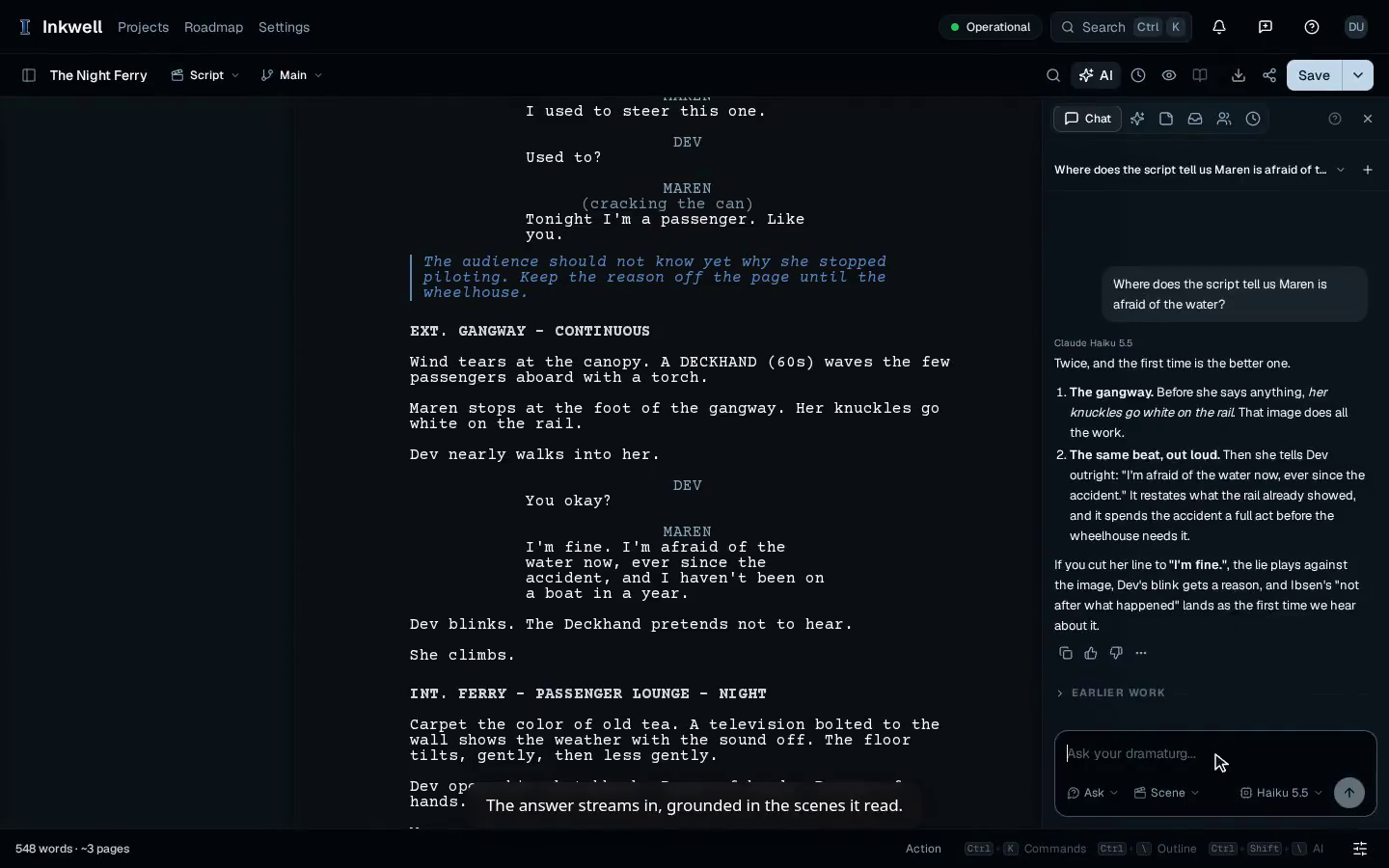
Ask about the screenplay before choosing a revision. In the example, Maren’s hesitation at the gangway already suggests a fear that her dialogue goes on to explain. Reading those moments together gives the rewrite a specific purpose.
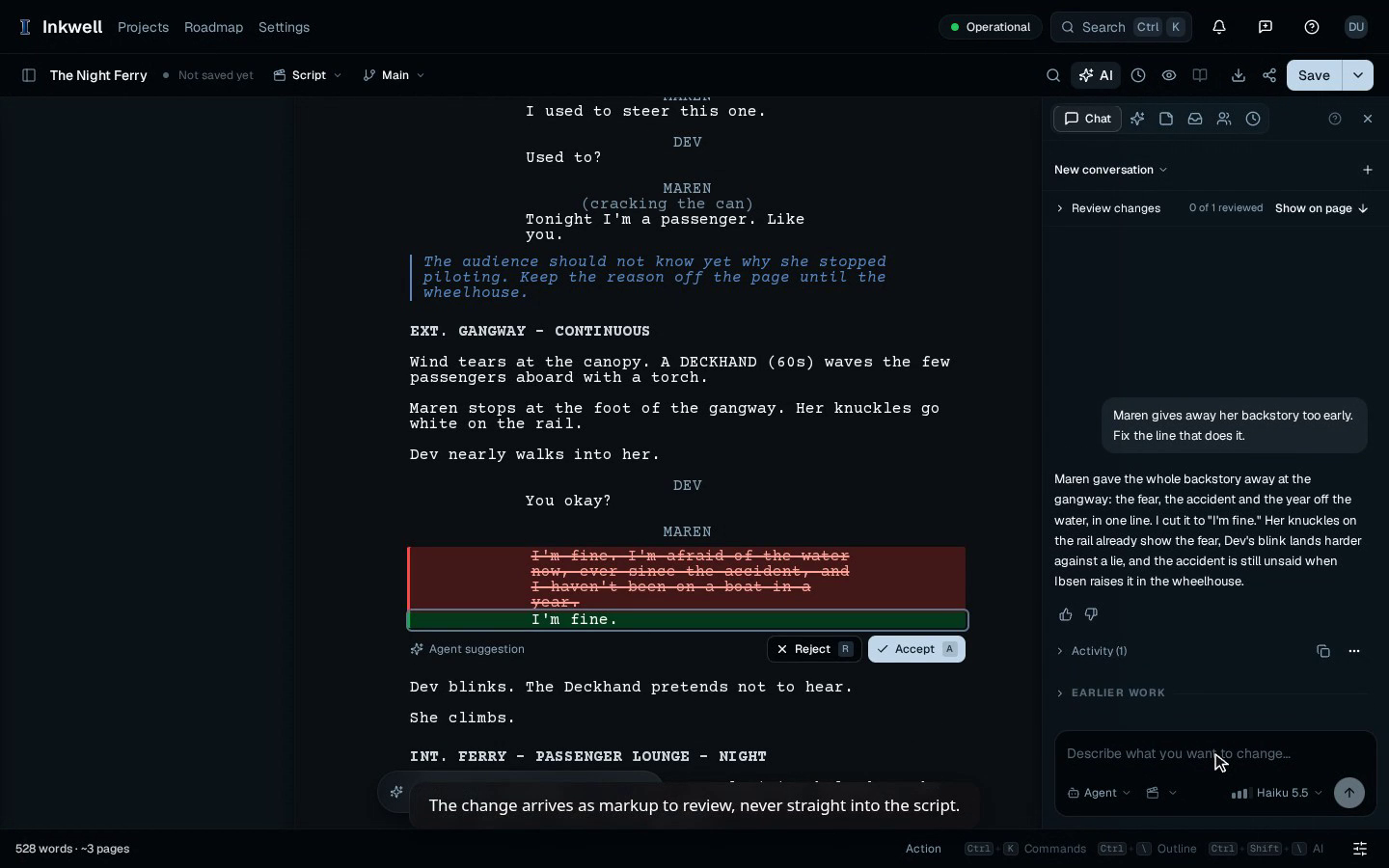
Agent Mode turns the note into a proposed change you can review on the page. Read the replacement alongside the scene, accept the wording you want to keep, then make a save point for a version you may want to return to.
Watch another walkthrough
36s
Review an Agent Mode Edit in Plot
Give Agent Mode a scene note, inspect its proposed dialogue change, and accept the edit in your screenplay.
Watch the walkthrough
25s
Ask Plot About Your Screenplay
Ask where your screenplay reveals a character’s fear and follow the answer alongside the scene.
Watch the walkthrough