
Because the script is structured, a breakdown is a report rather than a retyping job. Plot reads every scene heading for the set and the time of day, every cue for the cast, and the action lines for props and vehicles, and lays it out the way a first AD expects. Pro
Open the script reports
Press ⌘K and choose View script reports. A panel opens beneath the page with the script's numbers — character presence, dialogue balance, scene pacing — and, on Pro, the Script Breakdown.
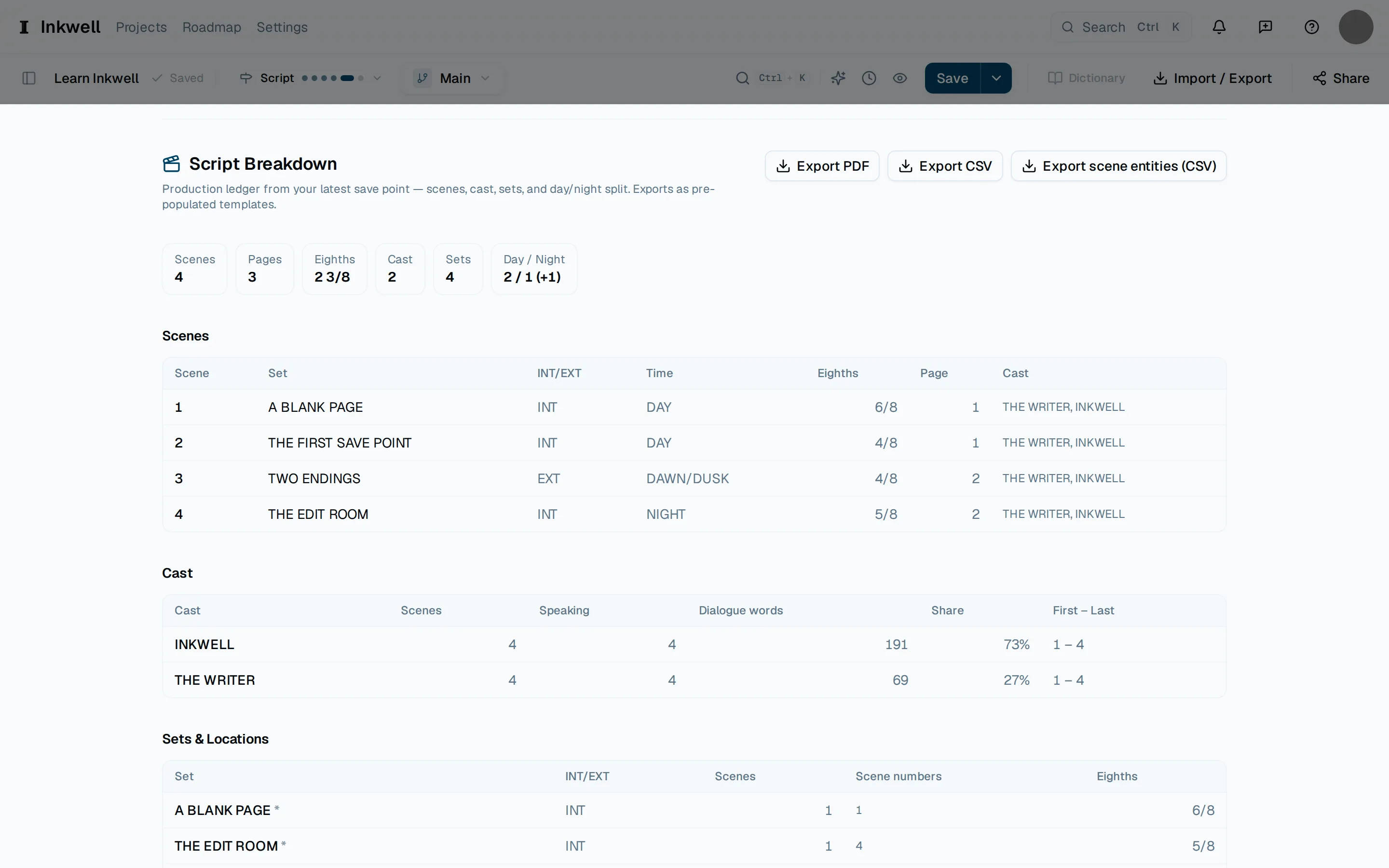
The Script Breakdown in the reports panel (1): one row per scene with its set, INT or EXT, time of day, length in eighths, page, and cast. Export CSV (2) writes it for a scheduling tool. Read the scenes
Each row shows the scene number, set, interior or exterior, day or night, length in eighths, the page it starts on, and the cast in it. Below the scenes, the cast list counts each character's scenes and share of the dialogue, and the sets list shows which scenes share a location — a single-scene set is flagged as a candidate to consolidate.
Tag the props and vehicles
Choose Extract props & vehicles. Plot reads the action lines and proposes a tag for each item it finds; confirm the real ones and dismiss the rest. Your decisions stay with the project.
Export
Choose Export CSV for a scheduling tool or spreadsheet, Export scene entities (CSV) for the confirmed props and vehicles, or Export PDF for a printed breakdown. The file names the script and the draft line it came from.